
The reviewer has been compensated in the form of a Best Buy Gift Card and/or received the product/service at a reduced price or for free.
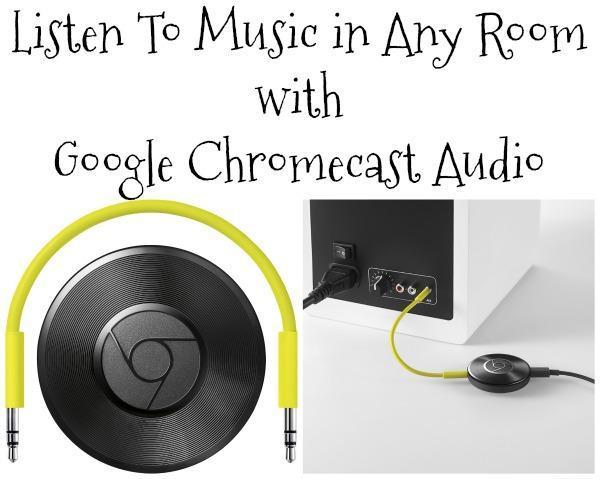
I love to listen to music. Whether I am cooking, working on the computer, taking a bath or doing household chores, I like to have my favorite songs playing. Usually, that means toting my phone around with me to whatever room I am in so I can keep my music with me. It worked fine until my phone needed to be charged in the outlet in the living room and I needed to get ready to in my bathroom. Thankfully, Google Chromecast Audio allows me to keep my music with me wherever I go without having to tote around my phone. All I need is the Google Chromecast Audio device and a speaker in each room that it can connect to and my music possibilities are endless!

Why Google Chromecast Audio?
- Chromecast Audio uses WiFi instead of Bluetooth, so you are going to get better sound quality, powered by cloud.
- Listen to your favorite songs on your speakers (new or old) in any room, wirelessly, from your tablet, phone or laptop.
- Control the volume, pause your song or play right from your phone.
- You can still text or call without interrupting what’s playing (WHAT!!!! That’s reason enough right there).
- Works with your favorite audio apps like Spotify, Pandor, Google Play Music, YouTube Music and many more. Find more apps you can use at chromecast.com/apps
Setup of the Google Chromecast Audio device is pretty simple. To start, plug it into a power source, then connect the 35mm jack into the AUX input of your speaker(s). Visit google.com/chromecast/setup to download the app to your phone. Once downloaded find the Chromecast device in the app and follow instructions. Finally, pick your favorite song to play and jam out listening to it on any Chromecast audio connected speaker!
I love the freedom of having a speaker in every room when using the Google Chromecast Audio device. It makes cleaning my house so much more fun! You can get your Google Chromecast Audio device at Best Buy!
What will be the first song you play when you get the Google Chromecast Audio device?


Toni Patton
Latest posts by Toni Patton (see all)
- Statistics Burnout: My Dramatic Death by Stats (Part 1) - July 1, 2026
- My Mid-Life Crisis Enrolled in College Without Asking Me First - March 27, 2026
- Drinking Around the World at Epcot Won’t Make You Feel Better… - July 27, 2025


